
Installing every* Firefox extension
Oh, you use Firefox? Name every extension.
Published*All but 8 we didn’t scrape (or got deleted between me checking the website and me scraping) and 42 missing from extensions.json.1 Technically we only installed 99.94% of the extensions.
It turns out there’s only 84 thousand Firefox extensions. That sounds feasibly small. That even sounds like it’s less than 50 gigabytes. Let’s install them all!
Scraping every Firefox extension
There’s a public API for the add-ons store. No authentication required, and seemingly no rate limits. This should be easy.
The search endpoint can take an empty query. Let’s read every page:
let url = "https://addons.mozilla.org/api/v5/addons/search/?page_size=50&type=extension&app=firefox&appversion=150.0"
let extensions = []let page = 1
while (true) { let res = await fetch(url) let data = await res.json() console.log(`PAGE ${page++}: ${data.results.length} EXTENSIONS`) extensions.push(...data.results) url = data.next if (!data.next) break}
Bun.write("extensions-default.json", JSON.stringify(extensions))The search API only gives me 600 pages, meaning I can only see 30 thousand extensions, less than half of them.
A solution I found is to use different sorts. The default sort is sort=recommended,users: first recommended extensions, then sorted by users, descending. Changing to just sort=created gave me some of the long tail:
let url = "https://addons.mozilla.org/api/v5/addons/search/?page_size=50&type=extension&app=firefox&appversion=150.0" "https://addons.mozilla.org/api/v5/addons/search/?page_size=50&type=extension&app=firefox&appversion=150.0&sort=created"Bun.write("extensions-default.json", JSON.stringify(extensions))Bun.write("extensions-newest.json", JSON.stringify(extensions))import extensions_default from "../extensions-default.json"import extensions_newest from "../extensions-newest.json"
let extensions = {}
// Yes, somehow I got the same slug twicefor (const ext of extensions_default) { extensions[ext.slug] = ext}
for (const ext of extensions_newest) { extensions[ext.slug] = ext}
console.log(`TOTAL UNIQUE EXTENSIONS: ${Object.keys(extensions).length}`)~/Developer/every-addon> bun countTOTAL UNIQUE EXTENSIONS: 54218I’m still missing 30,0252 extensions, so I added rating and hotness too.
~/Developer/every-addon> bun countTOTAL UNIQUE EXTENSIONS: 67458That’s still 16,7852 missing. Adding updated…
~/Developer/every-addon> bun countTOTAL UNIQUE EXTENSIONS: 67945Starting to hit diminishing returns. While I was waiting 7 minutes for that last list to get scraped because my code didn’t fetch in parallel, I had an epiphany: use exclude_addons. I can just fetch page 600 and exclude all its addons to get page 601.
let url = "https://addons.mozilla.org/api/v5/addons/search/?page_size=50&page=600&type=extension&app=firefox&appversion=150.0&sort=updated"const page_600 = await fetch(url).then(res => res.json())const page_601 = await fetch( `${url}&exclude_addons=${page_600.results.map(ext => ext.id).join(",")}`,).then(res => res.json())It works! There is a URL length limit, sadly, so I can only fetch an extra 20 pages.
let url = "https://addons.mozilla.org/api/v5/addons/search/?page_size=50&page=600&type=extension&app=firefox&appversion=150.0&sort=created&exclude_addons="
let extensions = []let page = 600try { while (true) { let res = await fetch(url) let data = await res.json() console.log(`PAGE ${page++}: ${data.results.length} EXTENSIONS`) if (data.results.at(-1).id === extensions.at(-1)?.id) break // IDK extensions.push(...data.results) url += data.results.map(ext => ext.id).join(",") }} catch {}
Bun.write("created-2.json", JSON.stringify(extensions))TAke a look, y’all:
~/Developer/every-addon> bun countTOTAL UNIQUE EXTENSIONS: 68035A lot less than I expected, especially considering what happens when I add the downloads sort:
~/Developer/every-addon> bun countTOTAL UNIQUE EXTENSIONS: 68901Reading the docs again, I notice I can filter by category as well. I’m tired of waiting 7 minutes so I’ll just fetch every page in parallel.
function get(url: string, path: string) { return Promise.all( Array.from({ length: 600 }, (_, i) => fetch(`${url}&page=${i + 1}`).then(res => res.json())), ).then(pages => { let extensions = pages.flatMap(page => page.results) Bun.write(path, JSON.stringify(extensions)) })}
const categories = await fetch("https://addons.mozilla.org/api/v5/addons/categories/").then(res => res.json(),)
await Promise.all( categories .filter(category => category.type === "extension") .map(category => { return get( `https://addons.mozilla.org/api/v5/addons/search/?page_size=50&type=extension&app=firefox&sort=created&category=${category.slug}&appversion=150.0`, `./newest-${category.slug}.json`, ) }),)I got basically all the extensions with this, making everything I did before this look really stupid.
~/Developer/every-addon> bun analyzeFound 84235 unique extensionsThat would be 49.3 GB, an average of 584.9 kB per extensionThat’s 8 less extensions than what it says on the website. When I ran this in September 2025, it found 21 more extensions than what was mentioned on the website, so I think this is enough.
So that nobody has to do this again, I’ve uploaded this dataset to Hugging Face.
Alternatively, addons-server has CORS enabled, so click this funny button to get
your very own all_extensions.json:
April 11 update
The search API supports date filters: created__gte and created__lte.
The API also returns the full number of extensions that match your search.
You can start with a filter that includes all extensions, then keep splitting the ranges in half until it is less than 30 thousand, then fetch all of them.
I’ve updated the downloader: it is faster, wastes fewer requests, and seems to scrape exactly all the extensions, too.
This won’t work if over 30 thousand extensions get created in a single second, which I can’t imagine will ever happen.
Analyzing every Firefox extension
I have a copy of Bun and all_extensions.json, so I will torment you with my unmatched script power.
Biggest extensions
The biggest Firefox extension is dmitlichess at 196.3 MB, which contains 2000+ audio files.
Here’s the rest of the top ten:
- (Unoffical) ReactBot Web, 184.9 MB: I thought this was a direct port of jacksfilms ReactBot, but no, it’s just a bunch of .webms.
- Eric’s Thumbnail Seasoning!, 146.6 MB: Someone’s personal fork of YouTube MrBeastify. Contains 900 .pngs.
- Animal Forest:PG BGM, 137.4 MB: Evil version of https://tane.us/ac.
- YouTube OCR, 128.3 MB: Tesseract.js.
- Image to Text for ChatGPT, 128.3 MB: Also Tesseract.js.
- qwip AI Detection BETA, 126.0 MB: AI models (not Tesseract.js).
- Kumo Study, 117.0 MB: 50 royalty free lo-fi study beats.
- YouTube Jakkify, 114.0 MB: Another YouTube MrBeastify fork. 500 soyjaks.
- True Paper, 111.6 MB: Also AI models that aren’t Tesseract.js.
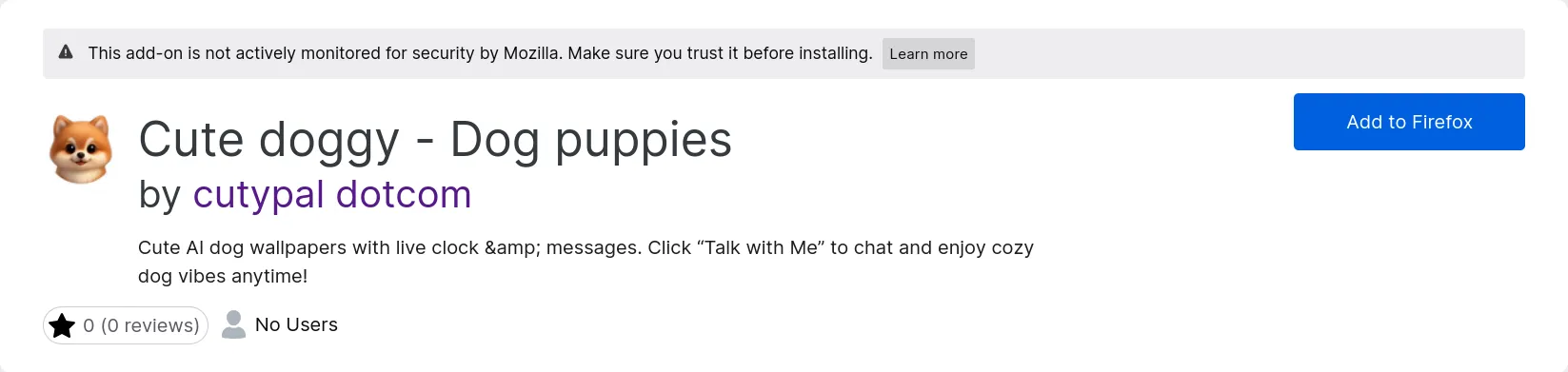
The first time I ran this analysis, in September, “Cute doggy - Dog puppies” was the 10th largest extension. I’m still mentioning it here, because I was so fucking confused:
The smallest extension is theTabs-saver, which is 7518 bytes and has no code.
Worst extension
Subjectively it’s Cute doggy - Dog puppies, but objectively:
import extensions from "../all_extensions.json"console.log( extensions .filter(ext => ext.ratings.count > 10) .sort((a, b) => a.ratings.bayesian_average - b.ratings.bayesian_average)[0],)it’s Tab Stack for Firefox, by lolicon (?!?!?!?!?!).
First extension
Most screenshots
RDS Bar has 54.
The “Middle Finger Emoji Sticker” Award
FalscheLaden, with no users, requests 3,695 permissions. The author has posted a writeup.
Second place is Google Dark Theme, which requests 2,675 permissions but has 1,687 users.
Most prolific developer
import extensions from "../all_extensions.json"
console.log( Object.values( Object.groupBy( extensions.flatMap(e => e.authors), author => author.id, ), ).sort((a, b) => b.length - a.length)[0][0],)Dr. B is the king of slop, with 84 extensions published, all of them vibe coded.
How do I know? Most of their extensions have a README.md in them describing their process of getting these through addon review, and mention Grok 3. Also, not a single one of them have icons or screenshots.
Personally, I’m shocked this number is this low. I expected to see some developers with hundreds!
Phishing
I reviewed the source of a couple homoglyph attacks on crypto wallets discovered in the dataset
and was disappointed to find out they just pop up a form asking for your seed phrase and send it off to their server.
It’s an extension!!! You can steal their coinbase.com token! You can monitor the clipboard and swap out their address for yours!
You can crash their browser and claim your real malware is the fix!
Why would you make a fake MetaMask extension and bot 1-star reviews?
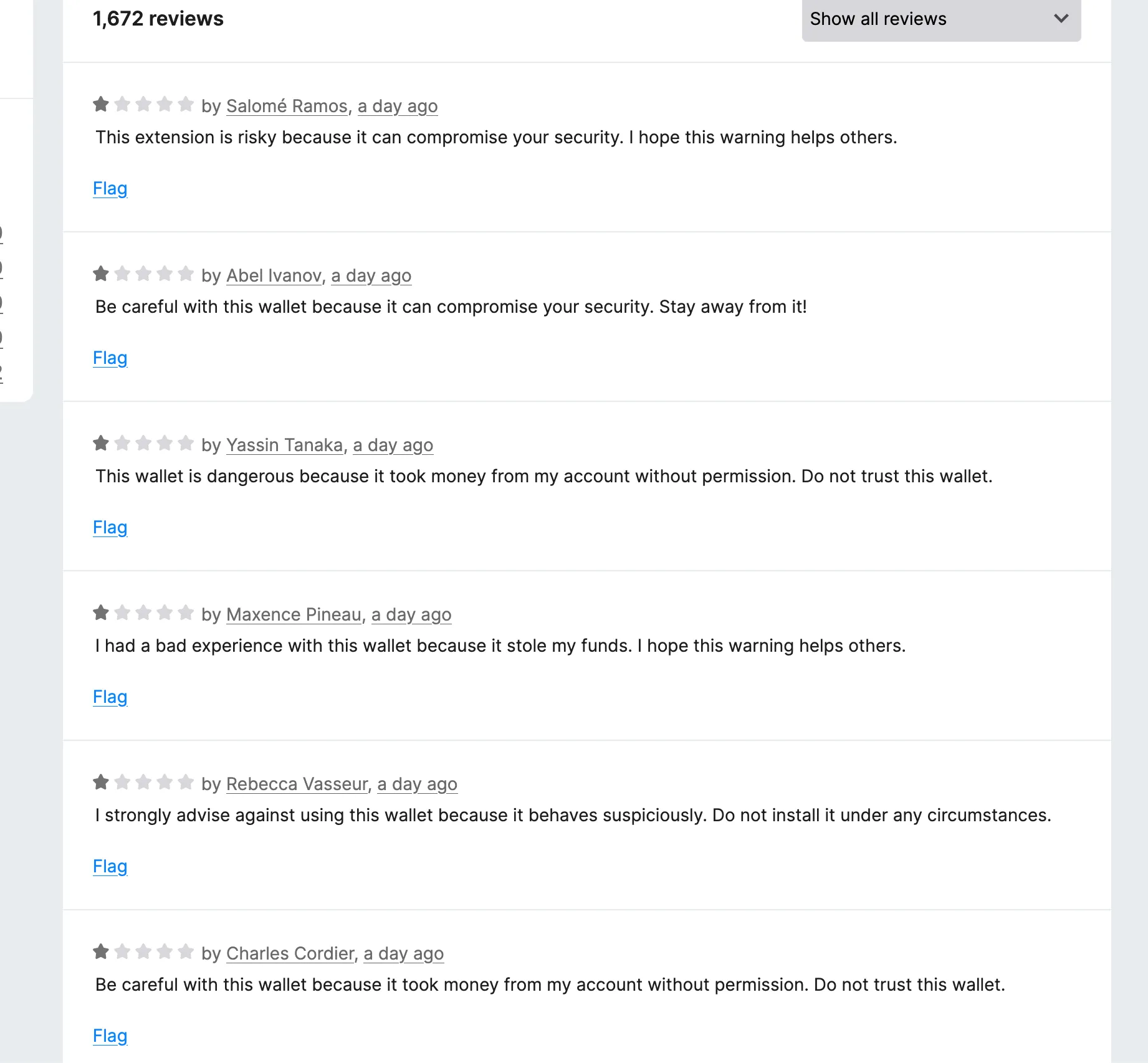
Is this the doing of their cybercrime competitors, who bot 4-star reviews on extensions of their own?
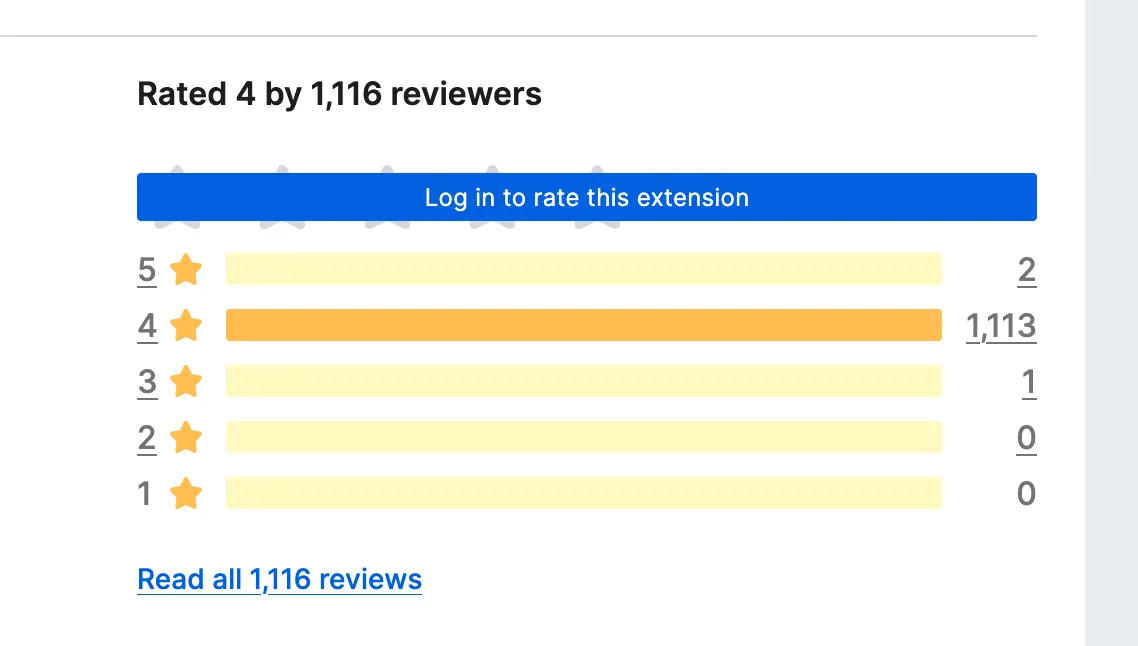
Either way, these extensions are clearly phishing. I reported some to Mozilla, and the next day they were all gone, even the ones I was too lazy to report. I forgot to archive them, so I guess they live on in May’s VM!
In terms of implementation, the most interesting one is “Іron Wаllеt” (the I, a, and e are Cyrillic). Three seconds after install, it fetches the phishing page’s URL from the first record of a NocoDB spreadsheet and opens it:
var r = e("./lib/noco")chrome.runtime.onInstalled.addListener(async () => { try { await new Promise(e => setTimeout(e, 3e3)) let e = await (0, r.fetchUrlFromNocoRest)() e ? await chrome.tabs.create({ url: e, }) : console.warn("No valid URL from NocoDB.") } catch (e) { console.error("Install flow failed:", e) }})I think the extension’s “no accounts or remote code” description is really funny, like putting “no copyright infringement intended” in your video’s description in case YouTube is watching. The API key had write access, so I wiped the spreadsheet.
SEO spam
You get a “Homepage” link in your extension’s page and your own page.
It’s been nofollow for two years,
but that hasn’t stopped grifters from trying anyway.
On Attempt 1, I encountered Typo Sniper and Tab Fortune Teller, AI generated extensions with casinos in their author’s Homepage links.
In the dataset, there’s many “Code Injector” extensions, which are all virtually identical and also have random websites in their author’s Homepage link.
All of these extensions are from 2025. Is there an ancient SEO guide circulating? Is there some evil AMO frontend they’re still getting a backlink from? I have no idea what’s happening here.
PUAs
Do you notice a pattern?
- Maps Assist & Custom Web Search: 138,082 users
- Package Tracking Tab & Custom Web Search: 83,506 users
- Converter Suite & Custom Web Search: 82,502 users
- Manuals Explorer & Custom Web Search: 66,835 users
- Ezy Photo Tab & Custom Web Search: 54,347 users
- Easy Games Tab & Custom Web Search: 34,918 users
- Task Manager Tab & Custom Web Search: 34,585 users
- Turbo Converter & Custom Web Search: 32,236 users
- Quick Live News & Custom Web Search: 31,542 users
- Ezy Speed Test & Custom Web Search: 30,853 users
- Quick Recipe Hub & Custom Web Search: 29,556 users
- Flight Tab Pro & Custom Web Search: 28,633 users
- Weather Authority & Custom Web Search: 13,658 users
- Video Converter World & Custom Web Search: 13,191 users
- Daily Top Coupons & Custom Web Search: 9,385 users
- Password Generator Pro & Custom Web Search: 5,289 users
- Calculator Whiz & Custom Web Search: 4,563 users
- Calendar Planner & Custom Web Search: 4,223 users
- Ezy Alarm Clock & Custom Web Search: 4,051 users
- Zip-Unzip Files & Custom Web Search: 3,298 users
- Latest Wallpapers & Custom Web Search: 2,648 users
- Ezy Screenshot & Custom Web Search: 2,231 users
- Precious Bible & Custom Web Search: 1,946 users
- Grammar Wise & Custom Web Search: 1,115 users
- Stream Live Radio & Custom Web Search: 725 users
- Astrology Craft & Custom Web Search: 185 users
- AI Chat Pro & Custom Web Search: 1 poor user
Over 700 thousand users in total.
All of these extensions are their author’s only uploads and they have their own domains. Most of them are on both Chrome and Firefox, their websites look the same, and they all have a terms of service referencing “Innover Online Group Ltd”, which is a .png for some reason.
Because I scraped every Firefox extension twice, I can see what got removed in between the runs. Three of Innover Group’s extensions—Earth View 360°, View Manuals, and View Recipes, totaling 115 thousand users—have been disabled by Mozilla.
Innover Group runs Google ads for their extensions, a lot of them simply saying “Continue”.
The “Custom Web Search” is Yahoo but with their affilate code.
That code being safeplexsearch, which has a website of its own which of course mentions Innover Online Group Ltd, and links to an addon with 3,892 users, which is actually a Firefox exclusive.
Actually, “Custom Web Search” is a Firefox exclusive on all of these extensions. Why did they even make a Chrome version, to sell them to the NSA??
One user claimed Ezy Speed Test “disables Ublock [sic] Origin once installed”, which I did not find in its code.
There’s a million companies like this, though. I just went to Download.com with my ad-blocker off and discovered the company Atom Apps in an ad, which also uploads extensions for both Chrome and Firefox, with a new account for each extension, only includes Yahoo in the Firefox version, with names that end in either “and Search” or ”& Search”, and has their company name as a .png in their terms of service. They have 220 thousand daily users total across 12 extensions, and none of theirs have been disabled.
Some percentages
- 34.3% of extensions have no daily users
- 25.1% of extensions have more than 10 daily users
- 10.6% of extensions have more than 100 daily users
- 3.2% of extensions have more than 1000 daily users
- 0.7% of extensions have more than 10000 daily users
- 76.7% of extensions are open source (SPDX license that isn’t All Rights Reserved)
- 23% of extensions were created after I started writing this article
- 19% of extensions have no users, no reviews, no screenshots, no downloads, and no icon
- 2.4% of extensions require payment
- 38.1% of those are open source???
Installing every Firefox extension
Obviously I’m not going to open each of these in a new tab and go through those prompts. Not for lack of trying:
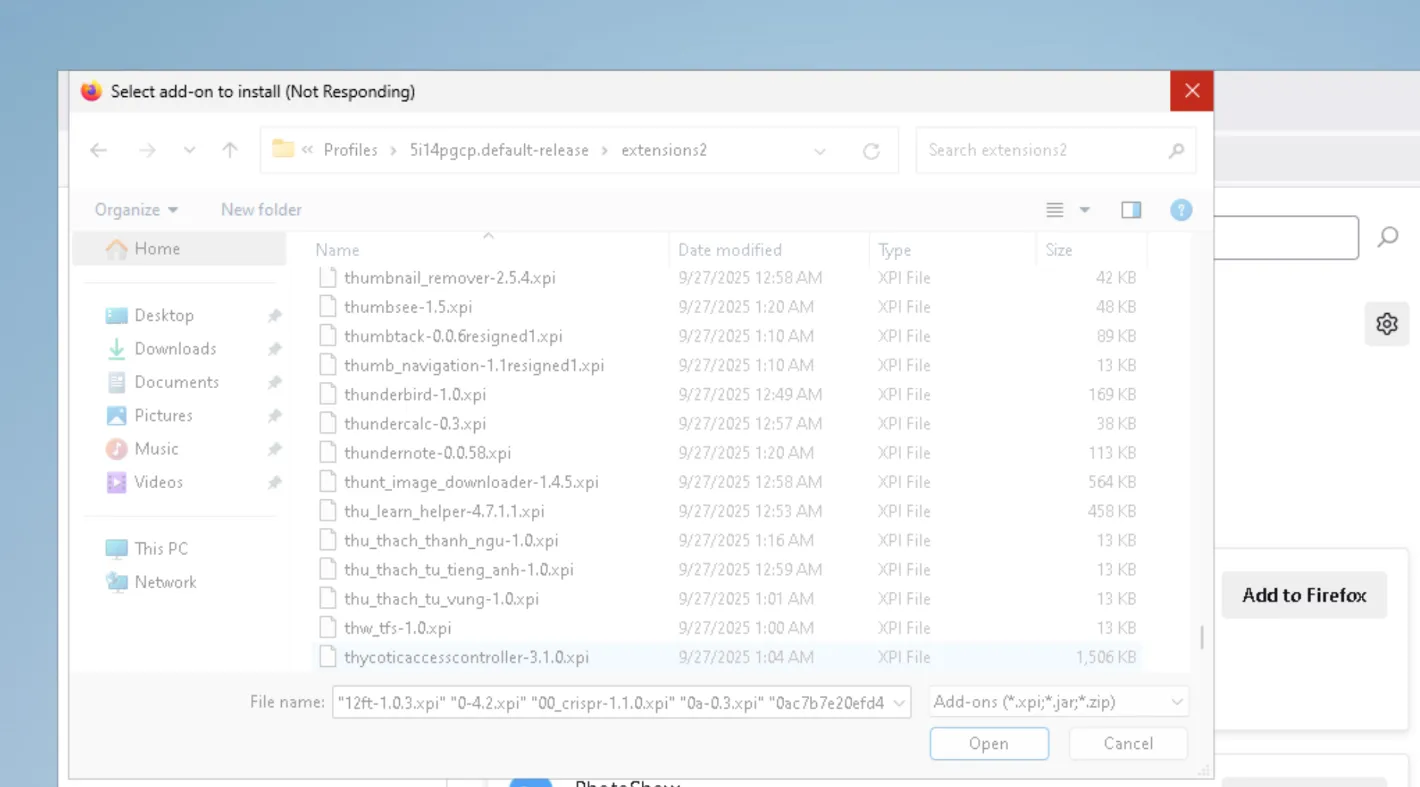
Each extension has the current_version.file.url property which is a direct download for the extension.
I download them to my profile’s extensions folder with the guid property as the base name and the .xpi file extension, because anything else will not be installed.
Then, I delete the addonStartup.json.lz4 and extensions.json files.
When I reopen Firefox, each extension is disabled. Tampering with extensions.json is common enough that you can ask any chatbot to do it for you:
const fs = require("fs") // WHY IS THIS COMMONJSconst path = require("path")
// Path to extensions.json (adjust this to your Firefox profile directory)// WHY IS THIS IN CAMELCASEconst extensionsJsonPath = "/Users/user/Library/Application Support/Firefox/Profiles/1avegyqd.default-release/extensions.json"
try { // Read the extensions.json file const data = fs.readFileSync(extensionsJsonPath, "utf-8") // WHY IS THIS NOT NODE:FS/PROMISES const extensionsData = JSON.parse(data)
// Modify extensions if (Array.isArray(extensionsData.addons)) { extensionsData.addons.forEach(addon => { addon.userDisabled = false addon.active = true addon.seen = true }) // WHY IS THIS NOT A GUARD } else { console.error("Unexpected format: addons property is missing or not an array.") process.exit(1) }
// Write the updated data back to extensions.json fs.writeFileSync(extensionsJsonPath, JSON.stringify(extensionsData, null, 2))
console.log("All extensions enabled successfully!")} catch (error) { console.error("Error processing extensions.json:", error)}Attempt 0: 65,335
My first attempt was in a tiny11 core VM on my desktop.
At first, instead of downloading all of them with a script, I tried using enterprise policies, but this copies all the extensions into the folder. I quickly ran out of memory, and the pagefile took up the rest of the storage allocated to the VM. I had also expected Firefox to open immediately and the extensions to install themselves as the browser is being used, but that also did not happen: it just froze.
Attempt 1: ~1,000
After that, I tried downloading them myself.
import extensions from "./all_extensions.json"import { exists } from "node:fs/promises"let progress = 0let count = extensions.length
const PATH_TO_EXTENSIONS_FOLDER = "C:\\Users\\user\\AppData\\Local\\Mozilla\\Firefox\\Profiles\\mkrso47f.default-release\\"
await Promise.all( extensions.map(async ext => { if (await exists(PATH_TO_EXTENSIONS_FOLDER + ext.guid + ".xpi")) { progress++ } else { console.log("Downloading", ext.current_version.file.url) const file = await fetch(ext.current_version.file.url) await Bun.write(PATH_TO_EXTENSIONS_FOLDER + ext.guid + ".xpi", file) console.log("Downloaded", ext.slug, `${(++progress / count) * 100}% done`) } }),) 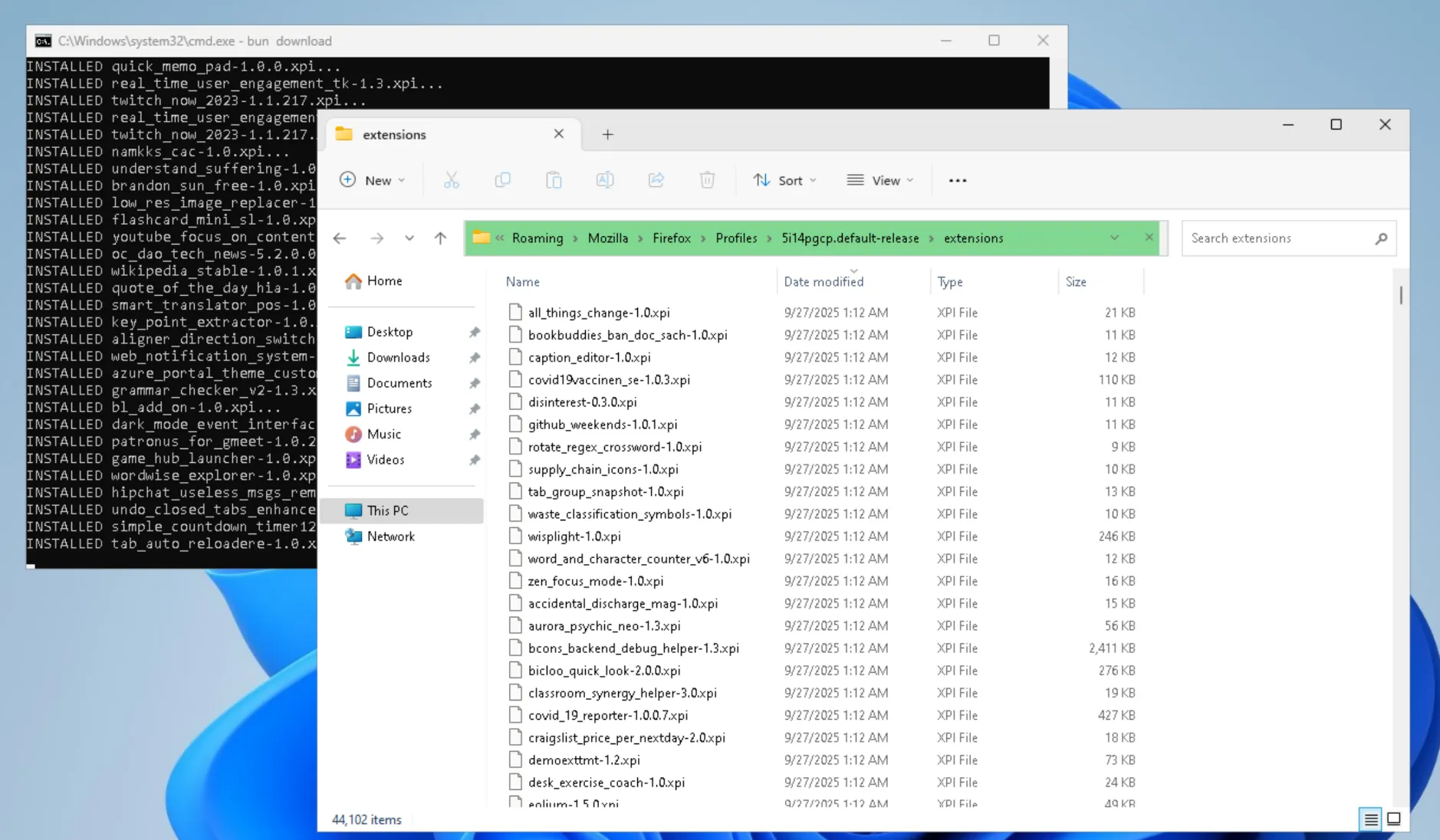
To make sure I was installing extensions correctly, I moved the extensions folder elsewhere and then moved about a thousand extensions back in. It worked.
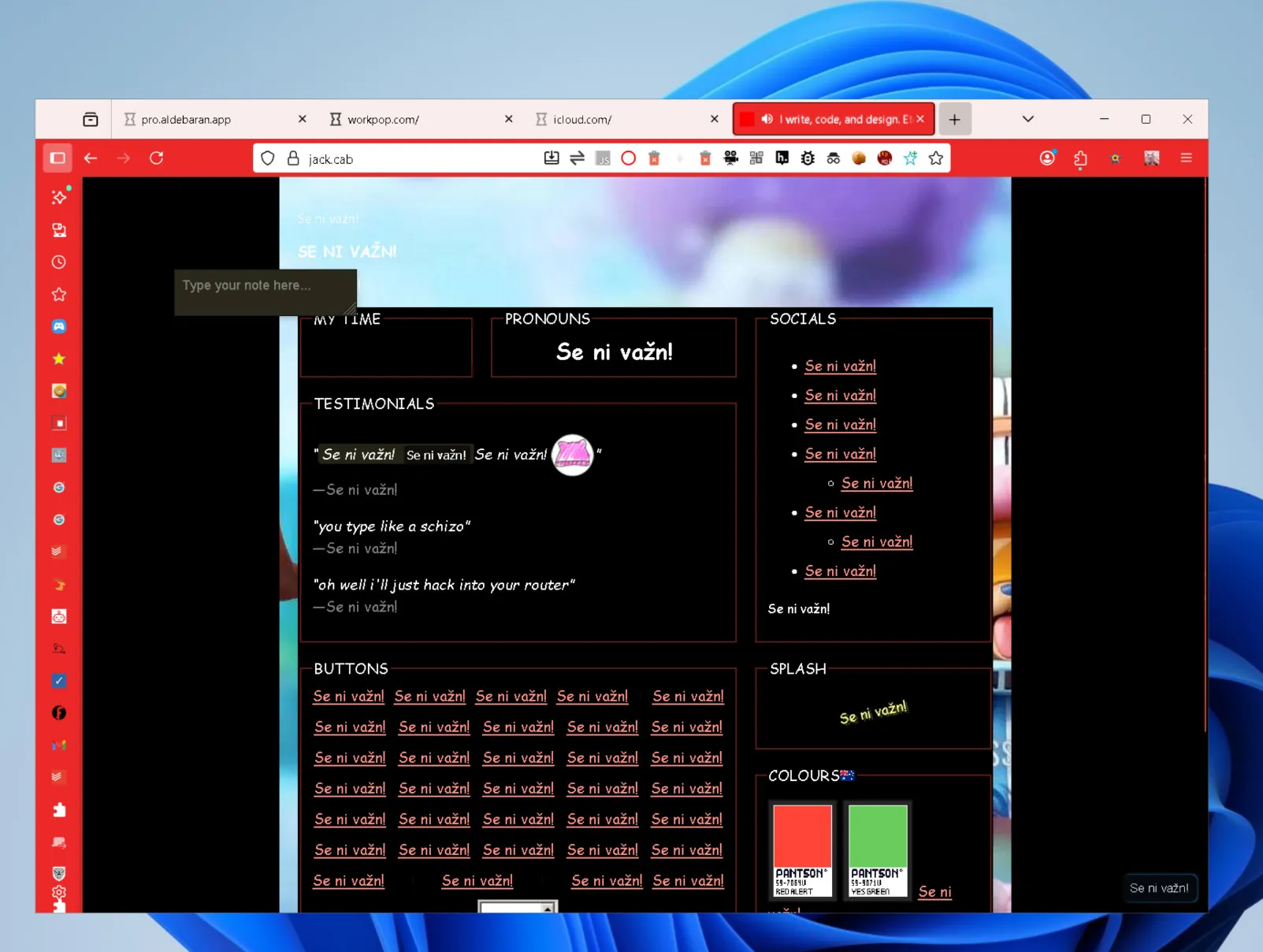
There were multiple extensions that changed all text to a certain string. bruh-ifier lost to Se ni važn. Goku is in the background.
My context menu is so long that I’m showing it sideways:
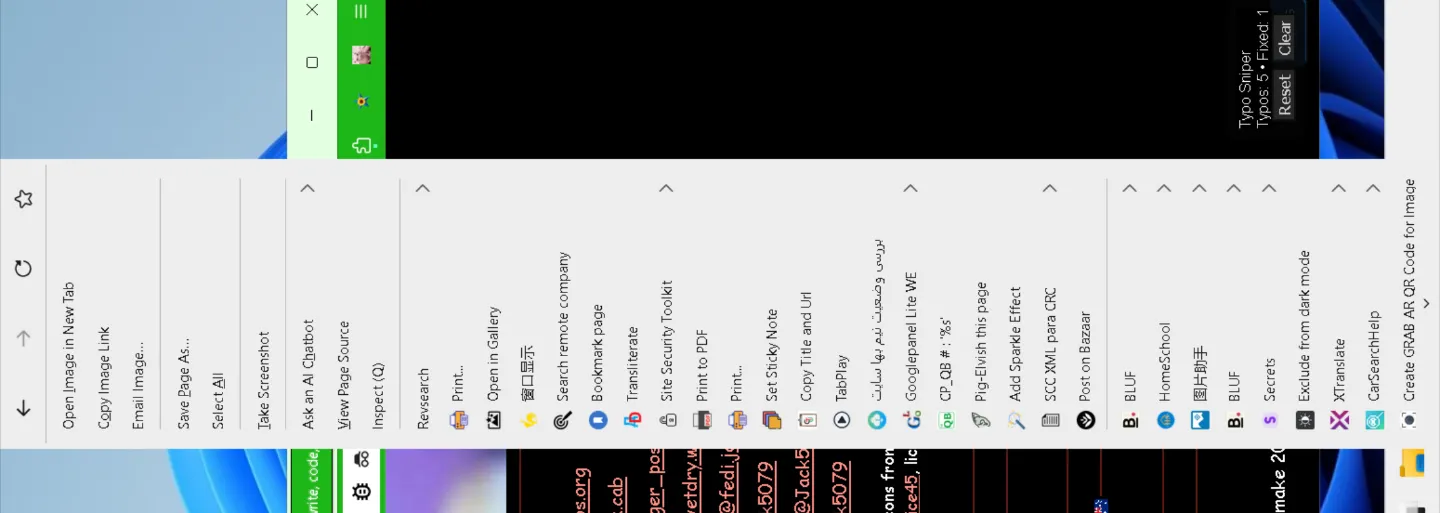
I had installed lots of protection extensions. One blocks traffic to .zip and .mov domains, presumably because they are file extensions. This is .cab erasure! Then, I realized that there were likely multiple people viewing my browsing history, so I went to send them a message.
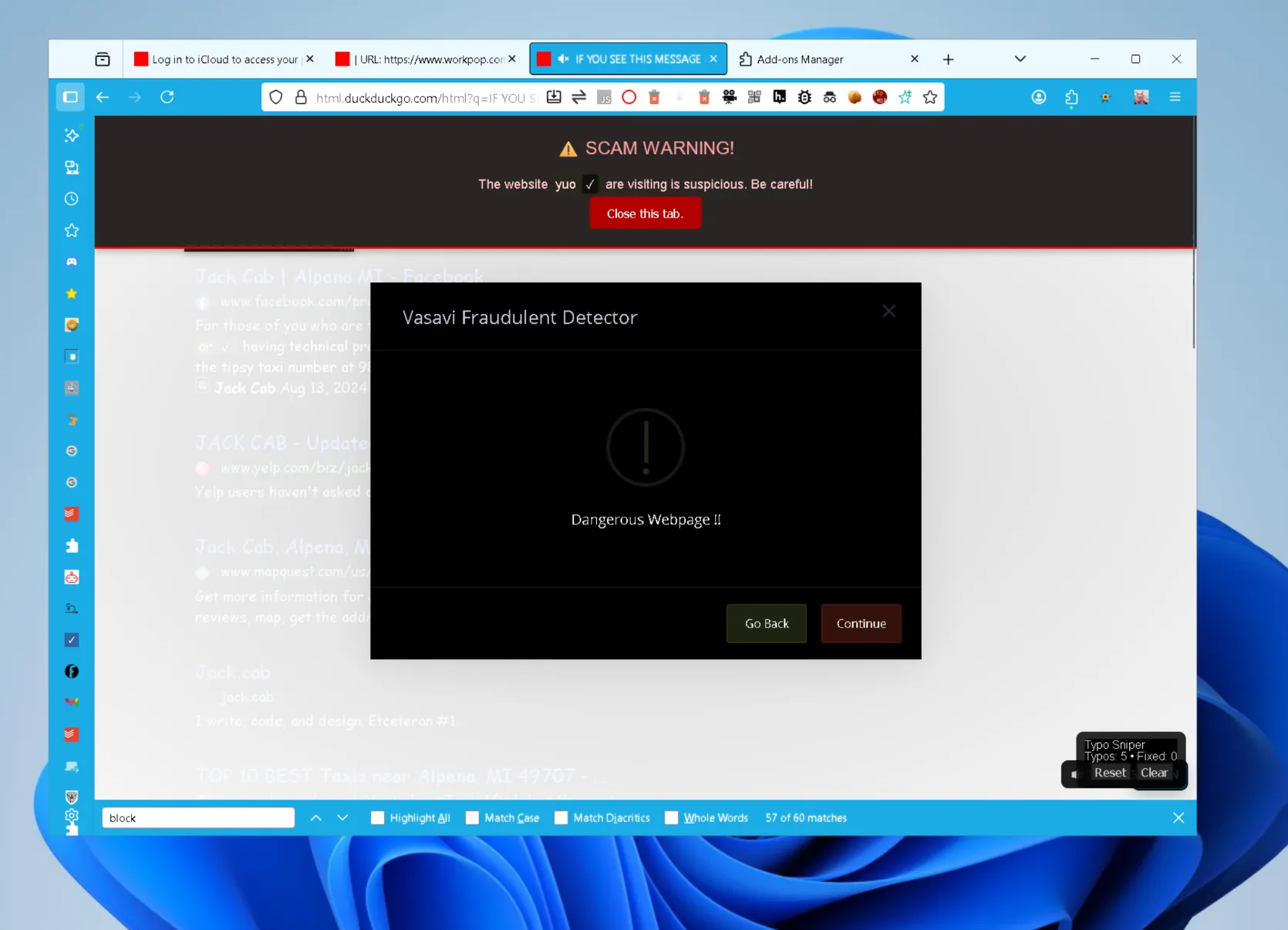
That “⚠️ SCAM WARNING!” popup is from Anti-Phishing Alert. As you may have inferred, it seems to only exists for its Homepage link. How does it work?
function isPhishingURL(url) { const suspiciousPatterns = [ /[\.\-]login[\.\-]/i, /[\.\-]secure[\.\-]/i, /[\.\-]account[\.\-]/i, /[\.\-]verify[\.\-]/i, /[a-z0-9\-]{1,}\.com\.xyz/i, /https?:\/\/(?!www\.)[a-z0-9\-]+\.([a-z]{2,}){2,}/i, ]
return suspiciousPatterns.some(pattern => pattern.test(url))}Vasavi Fraudulent Detector also has a popup for when a site is safe:
$.sweetModal({ title: "Vasavi Fraudulent Detector", content: "Safe Webpage !!", icon: $.sweetModal.ICON_SUCCESS,
buttons: [ { label: "Continue", classes: "greenB", }, ],})Attempt 2: 65,335
Only the addons from Attempt 1 were actually loaded, because I didn’t know I needed to delete addonStartup.json.lz4 yet.
I scrolled through the addons page, then I opened DevTools to verify it was the full 65,335, at which point Firefox froze and I was unable to reopen it.
Attempt 3: 65,335 (Mac edition)
After that, I made a new (non-admin) user on my Mac to try again on a more powerful device.
Every time I glanced at my script downloading extensions one at a time for six hours, I kept recognizing names. Oops, I’m the AMO subject-matter expert now! Parallelizing was making it slower by the last 4000 extensions, which didn’t happen on my Windows VM.
When that finished, I found out my hardware couldn’t run 65,335 extensions at once, sadly. The window does open after some time I didn’t measure, but the window never starts responding. I don’t have the balls to run my laptop overnight.3
Firefox did make over 400 GB of disk writes.
Because I forgot swap existed, I checked the profile trying to find the culprit, which is when I learned I needed to delete addonStartup.json.lz4 and modify extensions.json.
The extensions.json was 144 MB. For comparison, my PC’s extensions.json is 336 KB.
Attempts 4-10: 1000-6000
My solution: add 1000 extensions at a time until Firefox took too long to open. I got to 6000.
3000 extensions was the last point where I was at least able to load webpages.
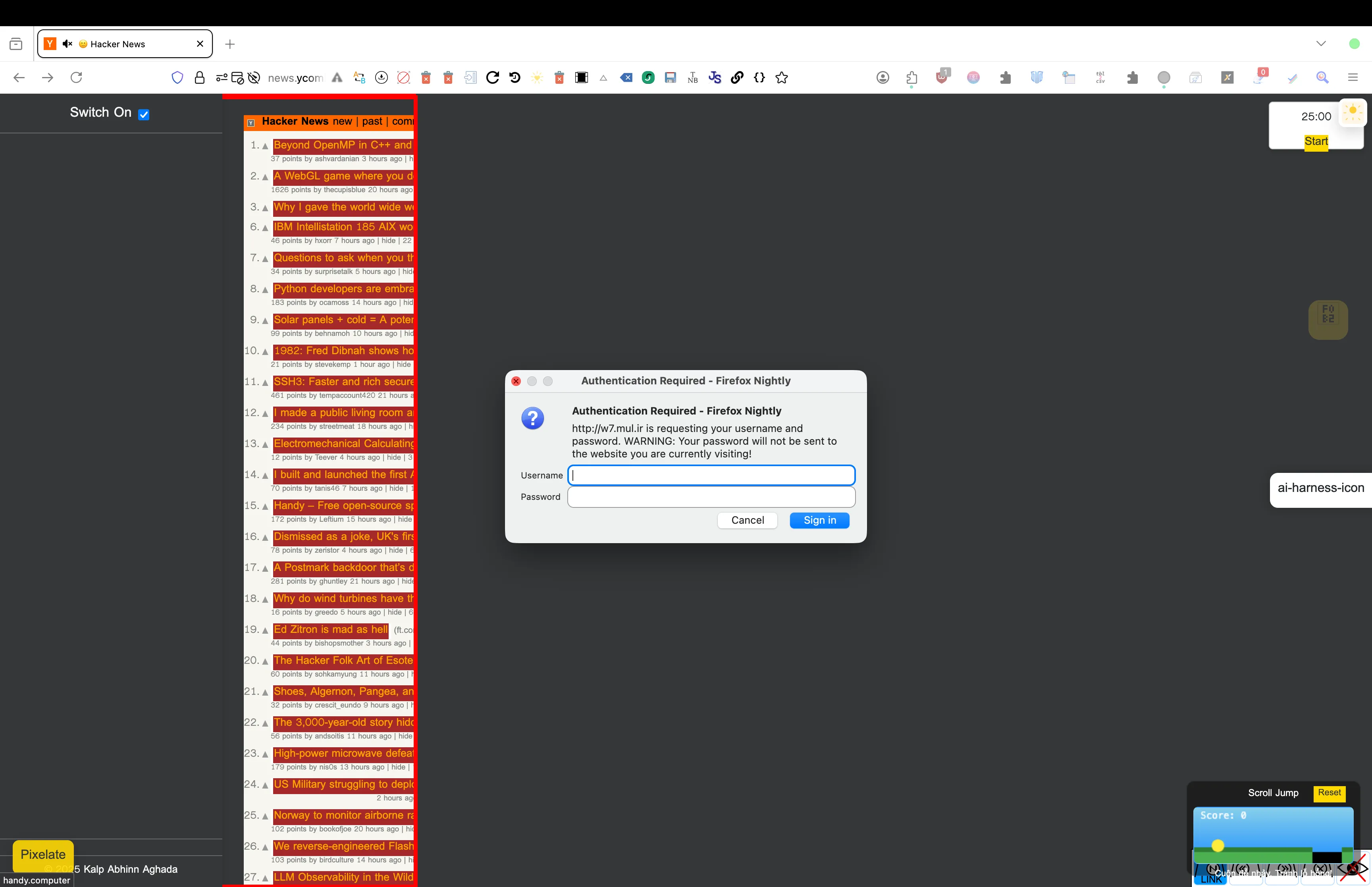
After 4000 or more extensions, the experience is basically identical. Here’s a video of mine (epilepsy warning):
5000 was the same as 4000 but every website was blocked by some extension I know starts with an S and ends with Blocker and has a logo with CJK characters.
At 6000 extensions, the only page that I could load was about:addons.
Attempt 11: 84,194 (six months later)
My desktop has 16 GB of RAM, and my laptop has 24 GB of unified memory. You might notice that 49.3 GB is more than twice that.
I asked a friend to help.
What you’re about to see was recorded in May’s virtual machine. Do not try this on your main profile.
Downloading
My download script started in parallel, then we switched it to serial when it slowed down. In total, downloading took about 1 hour and 43 minutes.
I was on a call the entire time, and we spotted a lot of strange extensions in the logs. What kind of chud would use “KiwiFarms Math Renderer”? Are they drafting the theory of soytivity?
Turning on Mullvad VPN and routing to Tel Aviv appeared to speed up the process. This was not because of Big Yahu, but because May restarted the script, so she repeated that a couple times. Whether that’s a Bun bug, I don’t know and I don’t care. May joked about a “version 2” that I dread thinking about.
Defender marked one extension, HackTools, as malware. May excluded the folder after that, so it may not be the only one.

Launch 1
Firefox took its sweet time remaking extensions.json, and it kept climbing.
About 39 minutes of Firefox displaying a skeleton (hence “it has yet to render a second frame”) later, it was 189 MB large: a new record! May killed Firefox and ran enable.js.
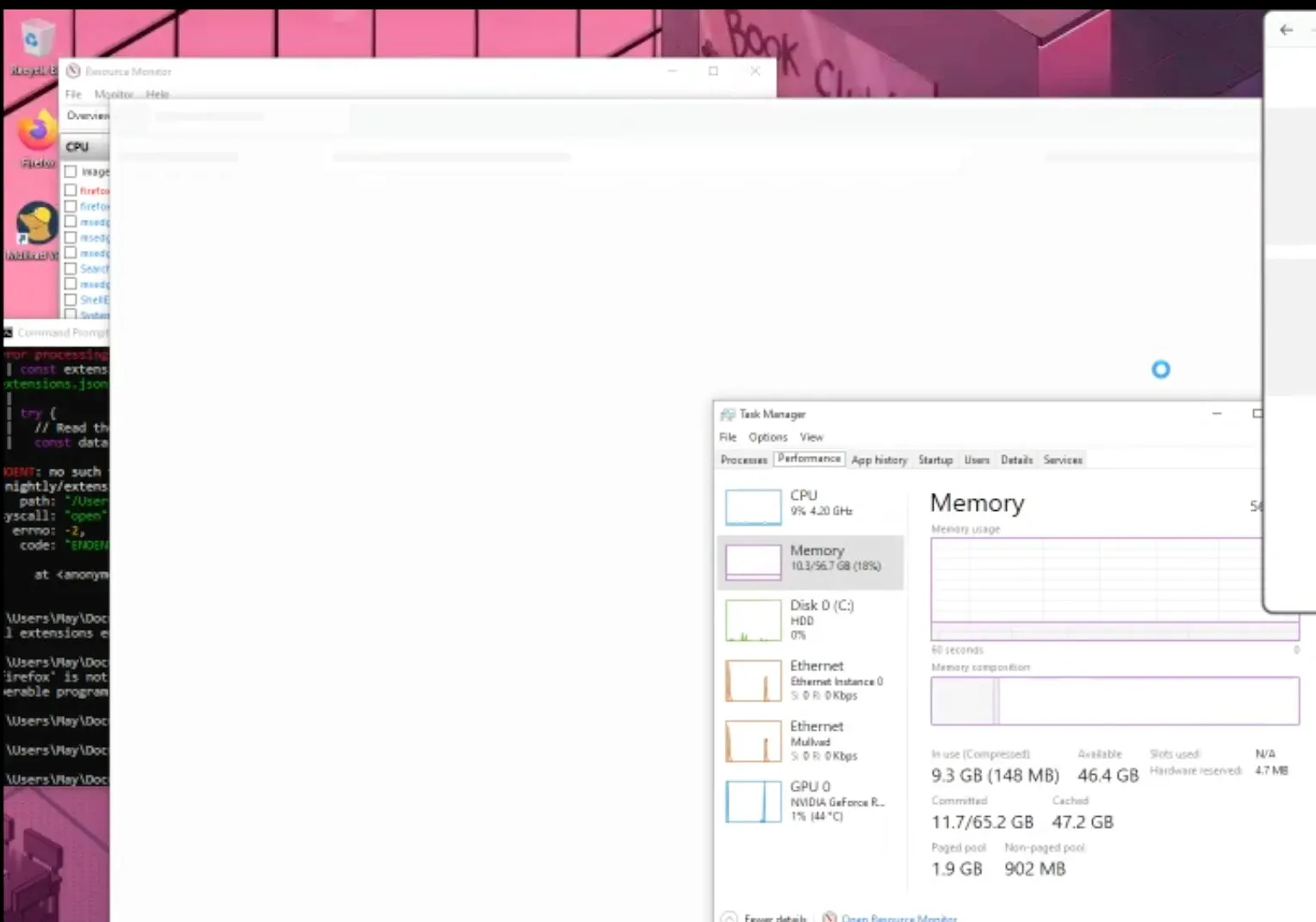
I did some research to find why this took so long. 13 years ago, extensions.json used to be extensions.sqlite. Nowadays, extensions.json is serialized and rewritten in full on every write debounced to 20 ms, which works fine for 15 extensions but not 84,194.
Launch 2
Finally, we see the browser. The onboarding tabs trickled in, never loading.
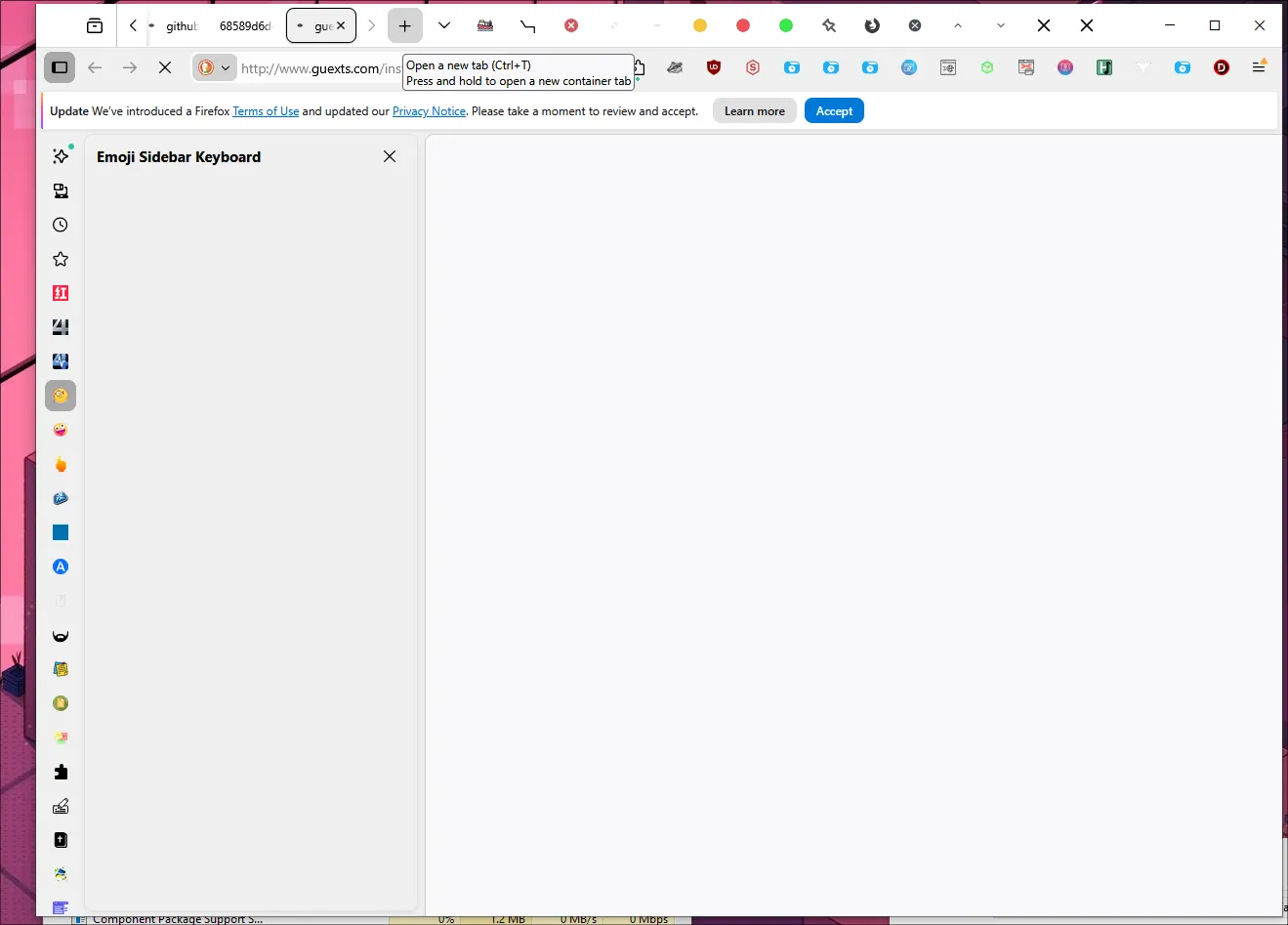
3 minutes later, Firefox crashed.
Launch 3
May reopened it, took a shower, and came back to this:
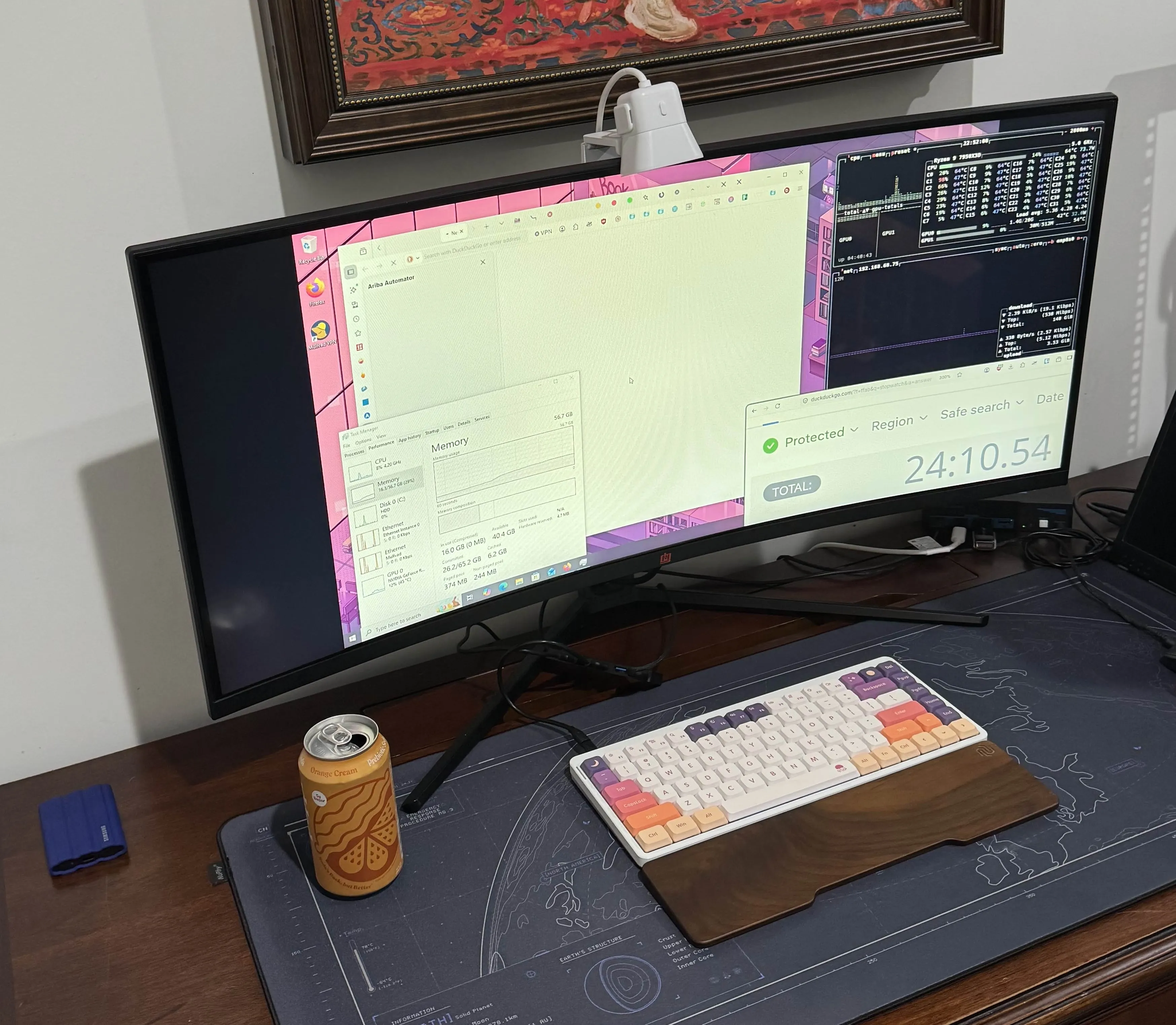
IT STABLIZED. YOU CAN (barely) RUN FIREFOX WITH ALL 84 THOUSAND EXTENSIONS.
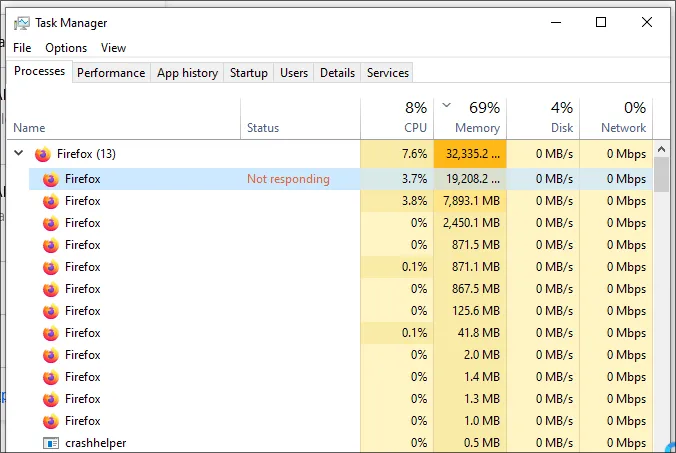
Well, we were pretty sure it had 84 thousand extensions. It had Tab Counter, at least, and the scrollbar in the extensions panel was absolutely massive.
Using every Firefox extension
It works.
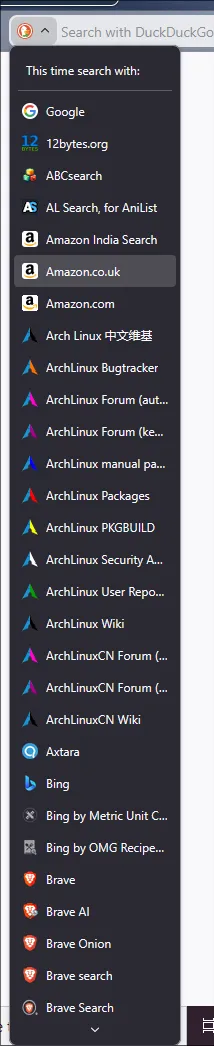
about:addons
Addon page
She loaded the configure pages of two extensions. The options iframe never loaded.
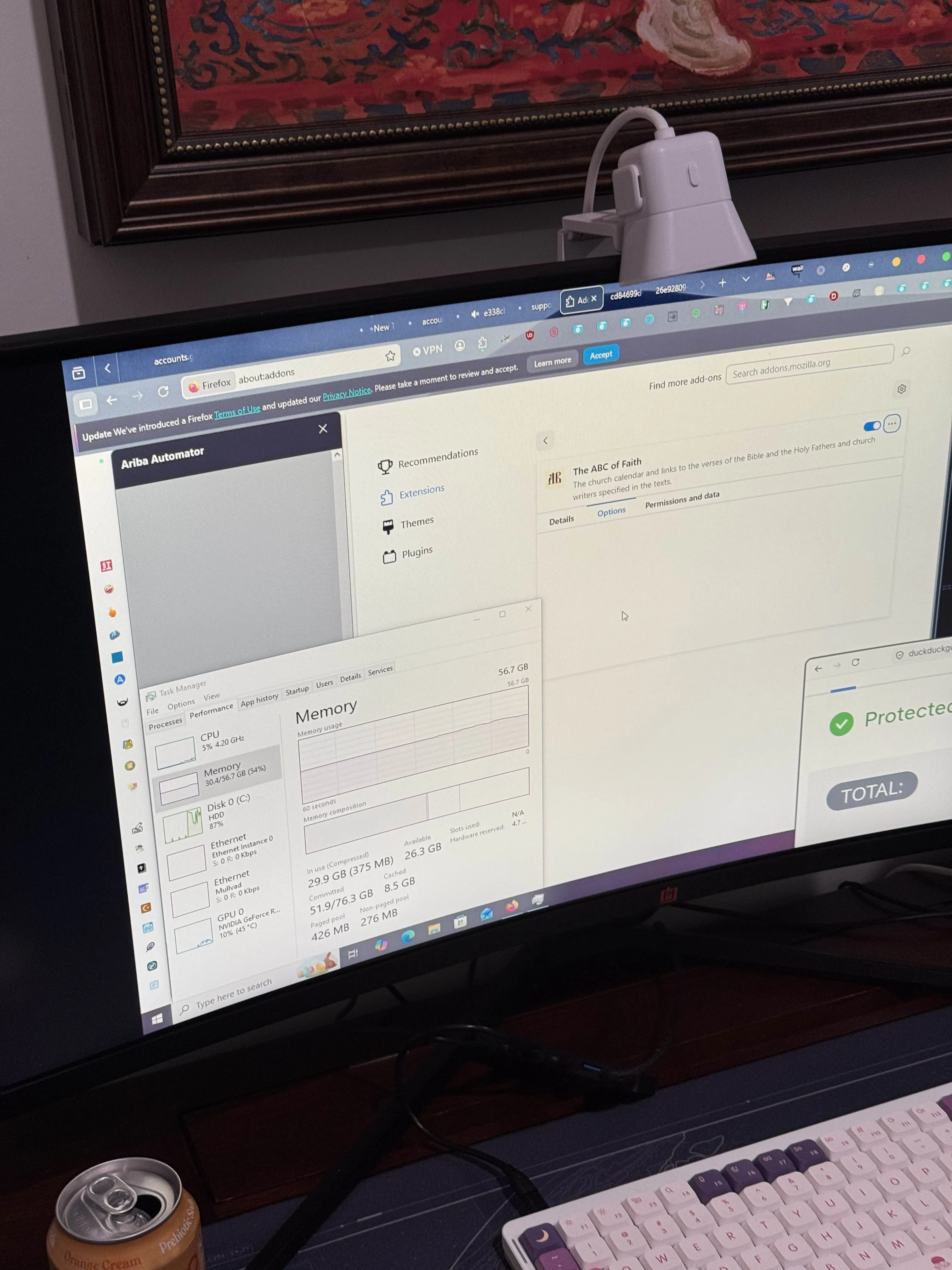
Index page
I realized we need to disable auto update before Firefox sends another 84 thousand requests. This one took a while to load.
The list loaded but with no icons and stopped responding, and 6 hours later it had loaded fully.
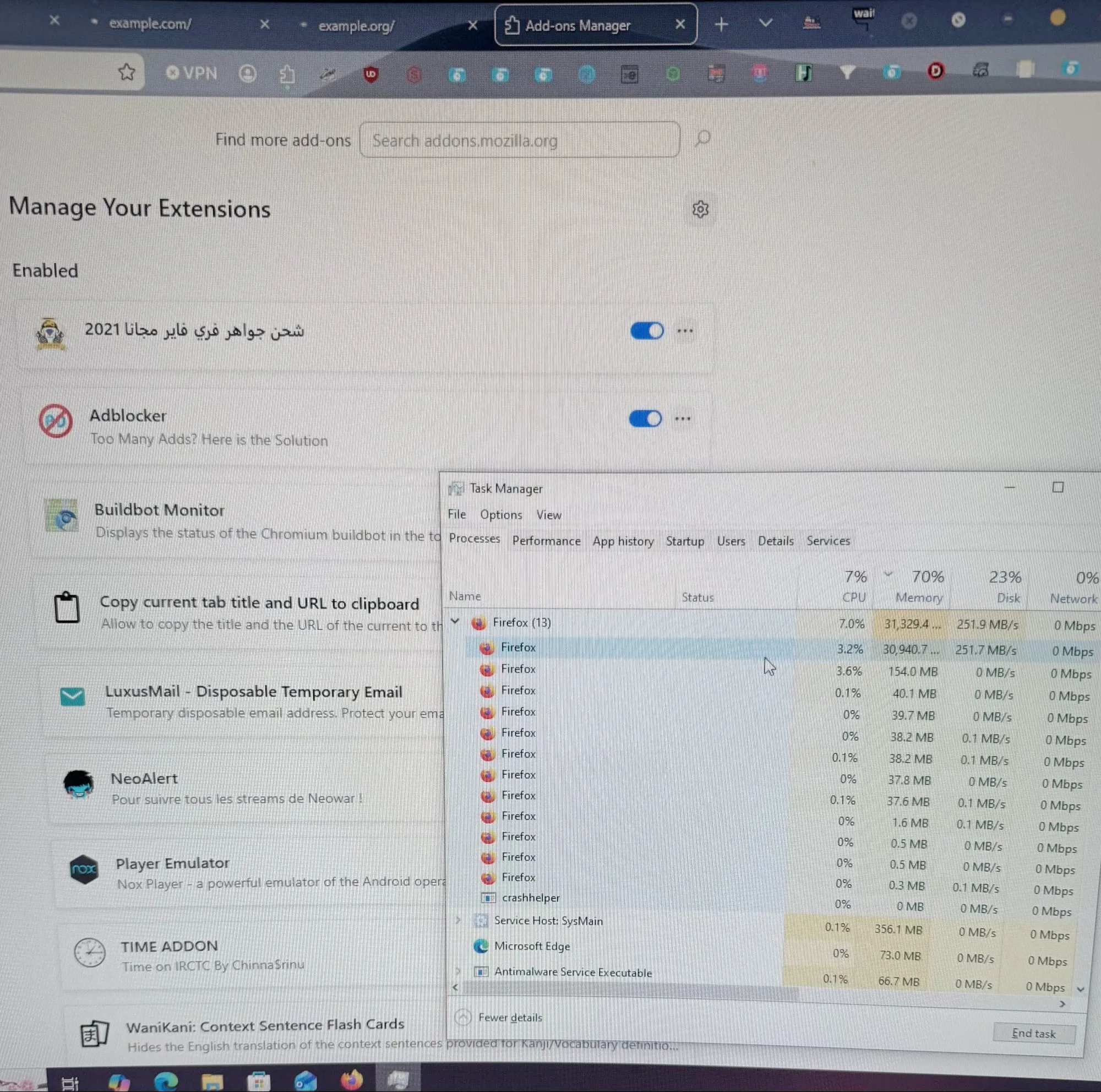
We recorded the entire process; the memory usage fluctuated between 27 and 37 GiB the entire time.
We did have basically every extension, including May’s own mt-rpc.
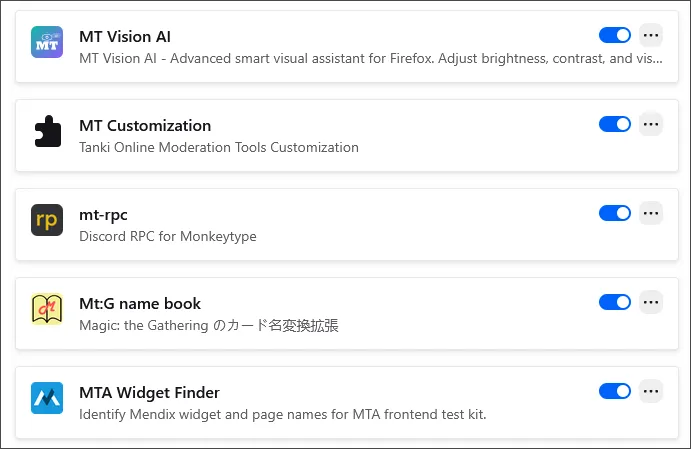
I still have no idea why about:addons took 6 hours to load.
I tested my first theory, the extension icons not loading lazily—ironically, sending another 84 thousand requests—with a one-line patch to Firefox and installed 3 thousand (disabled) extensions on my Mac. To compile Firefox, I had to delete the extensions from Attempt 3 to free up storage.
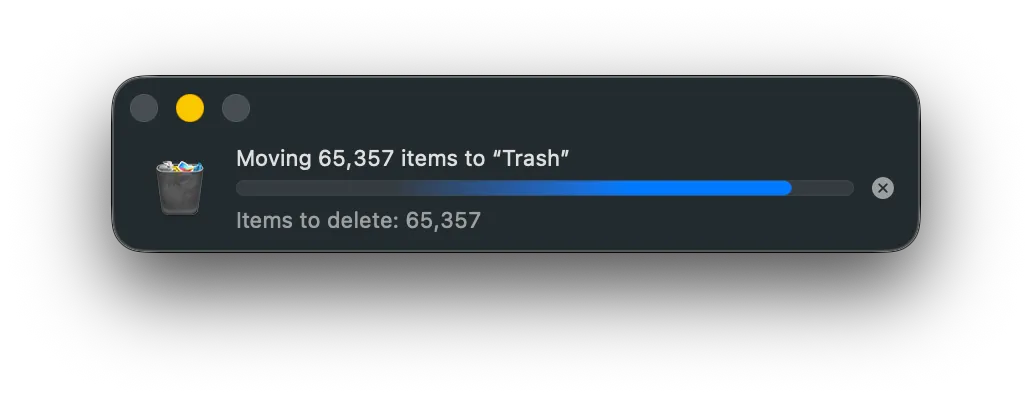
I don’t think it reduced the amount of time Firefox was frozen for. To be fair, I tested with 28 times less extensions than Attempt 11, so perhaps the issue only manifests at that scale.
about:support
Wow, that’s a lot of extensions. You can’t be sure, though.
I asked May to open DevTools and check $$("#addons-tbody tr").length so we could be sure what we thought was 84,205 extensions were running.
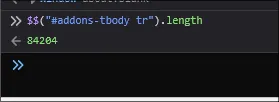
Reading about:support closer, I realized my fear was correct, but not for the reason I expected: that 84,205 included the built-in addons like Web Compatibility Interventions.
Excluding those, it was a total of 84,194 extensions we had installed.
Previously, I had written that DevTools had loaded no extensions because it was an about: page, but I just installed webhint and went to about:support and sure enough it’s there, so I don’t know what caused that.
about:preferences
We wanted to see how many New Tab options we can choose from.
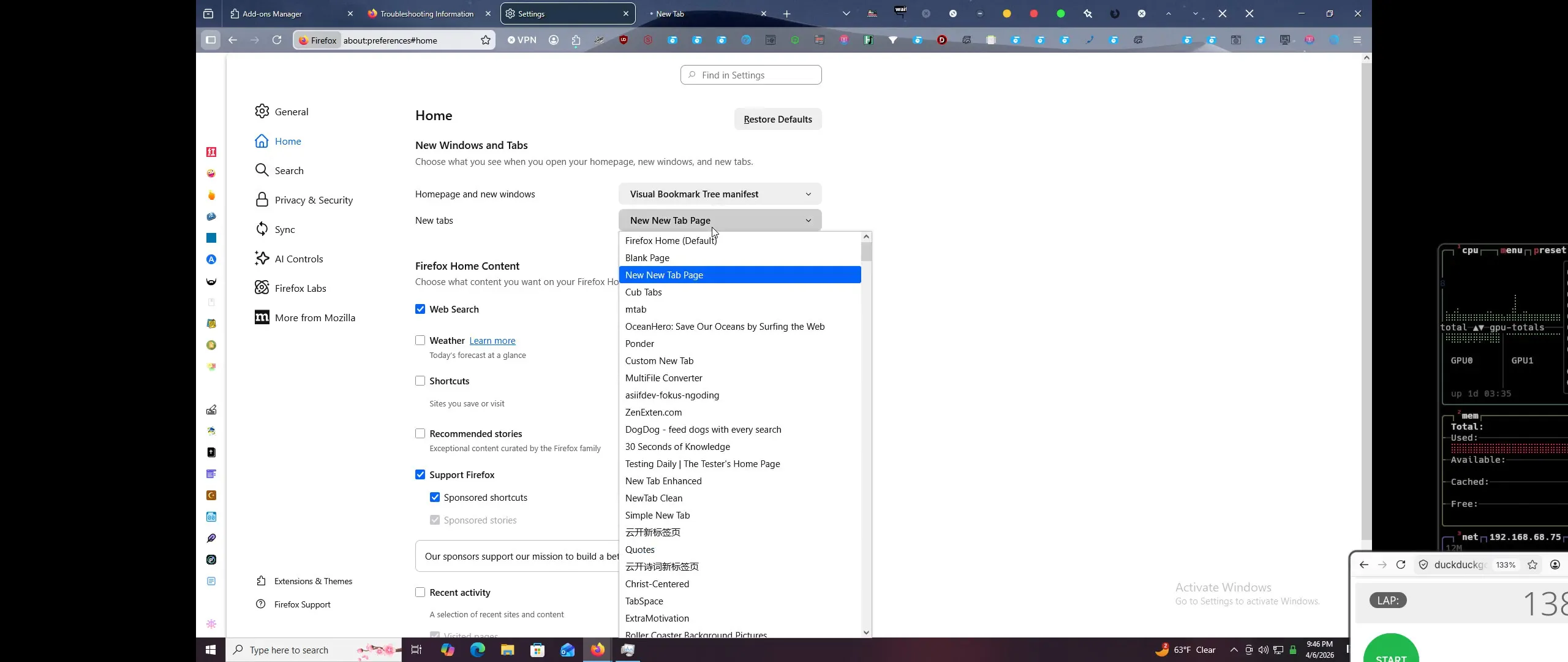
We turned on crash reporting on the way.
New Tab
Which extension wins? The answer is none of them. The New Tab page never loaded, no matter which extension we selected for it, except for Firefox Home which opened instantly.
moz-extension
A page from the buyPal (1 user) extension opened without action on our end and replaced the other tabs open at the time. It loaded: the only non-about: page to do so.
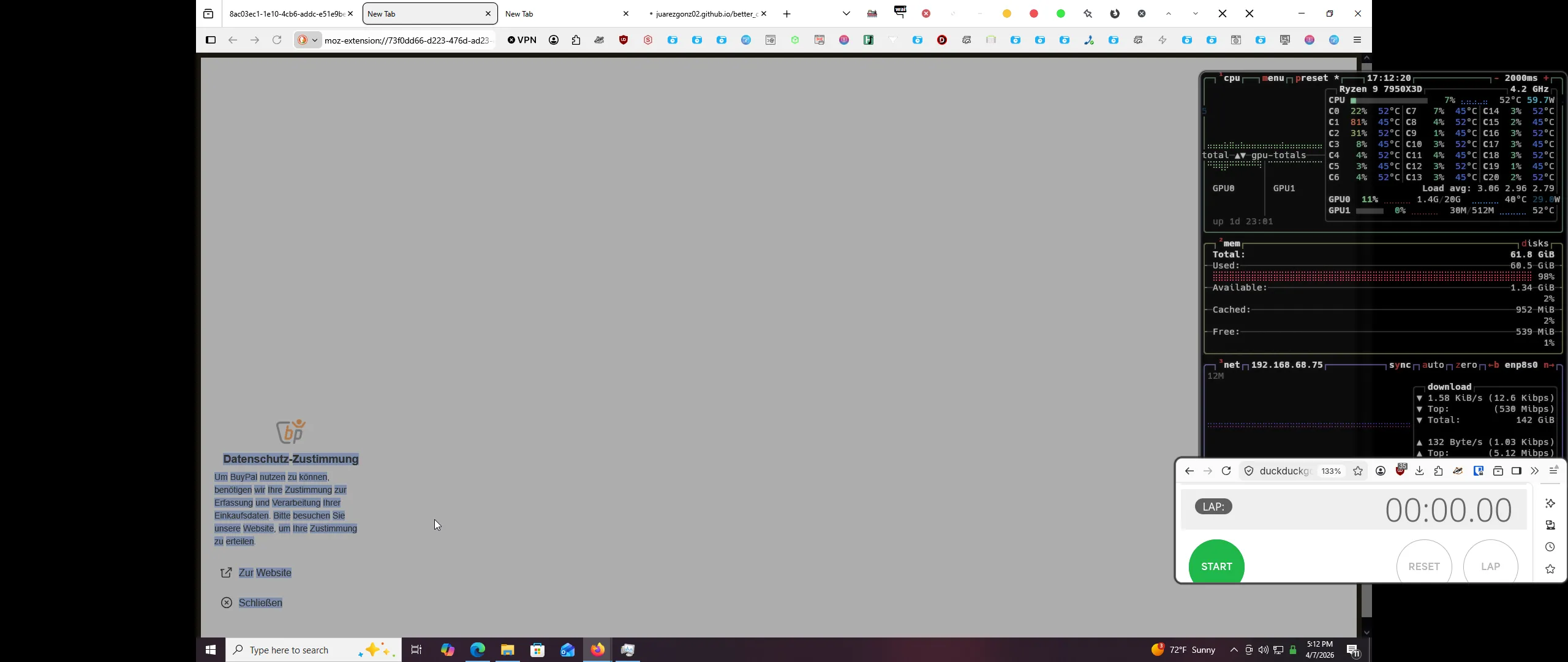
Then Firefox crashed again.
example.com
This is the first page where content scripts can run.
Like in Attempt 9, there had to have been multiple extensions that block every website. They didn’t matter, though, because we kept the tab open for 24 hours and it never loaded.
about:telemetry
It loaded, then she clicked on Environment Data and the browser crashed.
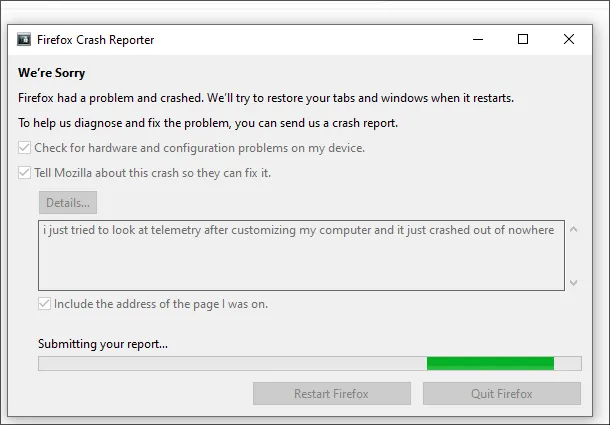
Is this usable?
No.
Further potential explorations
- Find out why
about:addonstook 6 hours to load and whyexample.comnever loaded. - Firefox isn’t the only browser that supports
.xpis: so do Kagi Orion and GNOME Web, both WebKit. Orion doesn’t have bulk install, so I didn’t try it, and Web is slow enough with 0 extensions. - We intentionally installed every extension, not every addon. It’s pretty obvious what happens when you install a lot of themes, there’s 500 thousand of them, and they are bigger than extensions on average.
- Install every user script and user style? There isn’t really a central database for these.
- Stylus has a hardcoded 1 GB limit for backups, and after patching this out, I got a new, stranger error.
- Install every Chrome extension? No, just kidding, there’s too many to do that, and no easy way to scrape them all.
Footnotes
-
Here’s the addons that were in all_extensions.json but not extensions.json. Strikethrough = deleted from AMO.
↩Extension GUID Facebook Bulk Image Downloaderfacebook-downloader@daniel.extensionsRestart Web Browser / Shutdown OS After Download @restart_web_browserToolship: Toolkit for DEV & QA toolship@shridharClickArmorclickarmor@clickarmor.dev当图-高级二维码生成器 {af68df6c-3dc8-4986-ade3-633c34a0b16a}Auto Link Open mosa.allbedre0@gmail.comNitter Redirect Reloaded{f885cff8-968c-462b-817f-8060be9b1635}VirusTotal URL Scannervirustotal-scanner@jaffacakes118.devAiStuffaistore@example.comBraveFox Enhancer enhancer@goldenfox.comSecNote Messages encryption {07d7c62a-d3c3-484f-99d3-47641e13b24c}WIXTABcs.dorgpio.23@gmail.comNyx Controlnyx@alsania-ioOutlook Support Extensionoutlook-extension@kitamura.jf7Mistral Text Assistantmistral-text-assistant@addonsBase WaIlet Extensoin{e07663c2-b159-4f18-b382-2b44d615f5ed}(WIP) LHS - 8248 New Tab custom-new-tab@8248.localProduct Image Scraper techpriest@gurglorium.comBitculator id@bitculator.comPixel emojisemoji-replacer@nadz.devMonitorizo monitorizo@monitorizo.netAzninj azninj@azninj.comAnime Streaming extension@anime-streaming.euTSS+ tss_plus@mozilla.orgTruSearch trusearchnewtab@gmail.comClass Link Check for Google Classroom™ {9b887266-8284-4069-8f12-c9bd326979c2}History Overrid {f9d43888-0f36-4b8c-b5f2-f5f595547ddf}History Overrides {41e67140-ef2b-42a4-a9b3-758b4e9df8da}OnPageSeoCheck {9c3f49f3-9346-40d5-ba97-0b1872526a41}tnt-signuature {493830f0-1fff-4f9a-aa1e-444bafbc7312}CheharaTime {fc1f9366-1a9c-4aac-8113-d91e9ecb7a74}Social Networks Automation social-networks-automation@mozilla.orgHistory Override {c09a4ed2-c611-41af-b3e4-79a810216f93}Facebook Always Active (DCS) DCS-FB-AA@mozilla.orgFont Finder Lm {ee6a863e-c039-4f97-af7c-dd4f65e7af95}Classroom Meeting Link Checker {fb6bc162-d129-45d1-8da9-7a132342b667}ZimRim Search Extension zimrim-extension@mozilla.orgZimRim Extension {ccd4a5ce-0a3b-449e-b3f8-43a90ec7aaa9}HipDash dev@hipdash.comLANeros - Galería De Imagenes carlos.gaviria.gallego1@outlook.comPriberam dictionary search priberam_dictionary_search_@voila.techSite Annonce extension@classified-media.com -
This article was published in April 2026, but the first version, including the scraping scripts, were written in September 2025. I reran the final script and asked Claude to update the numbers. It worked backwards using my intermediate files instead of rescraping (rescraping would be inaccurate since the data had changed by then), and I think the numbers are accurate enough. I updated the missing extension counts myself because it assumed the final count was 84,000 (like I had written) and not 84,243. ↩ ↩2
-
Foreshadowing is a literary device that writers utilize as a means to indicate or hint to readers something that is to follow or appear later in a story ↩